Everything it does, in one app
A Windows desktop app and a command line that share one project file. Every feature is in every plan, and in the free trial on one network.
Reads the network's own devices
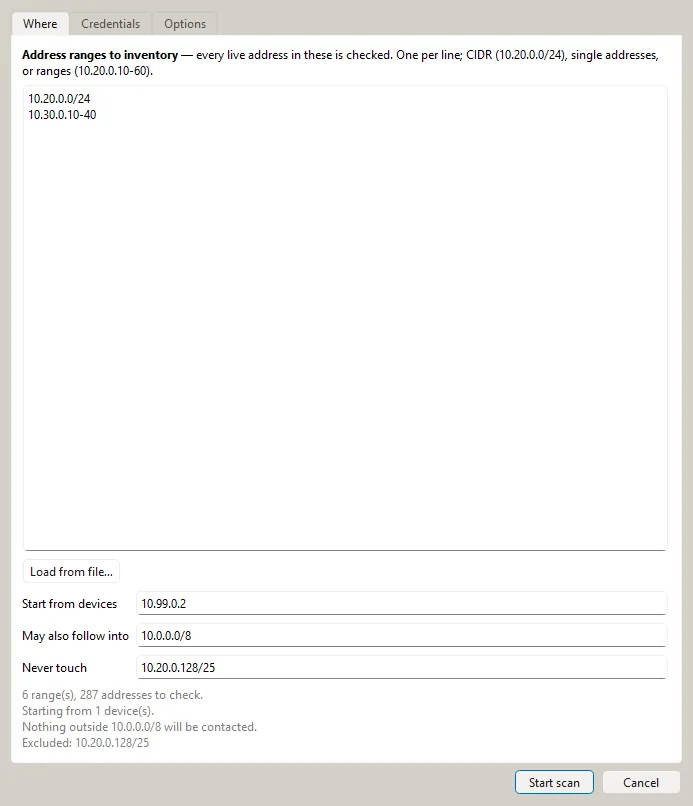
Start from your ranges, or from a core switch, and SubnetSleuth follows the network outward over SNMP (v1, v2c and v3 with SHA-2 and AES), only as far as your scope allows.
- Interfaces, addresses, VLANs, routes, ARP and MAC tables, hardware and stack members
- Neighbours from LLDP and CDP, confirmed against MAC tables
- A sweep finds hosts that never touch a polled switch
- Several credentials tried in order; each can be limited to the networks it belongs to
- Pace, timeouts and the largest subnet to sweep set once in Preferences
Every endpoint, identified
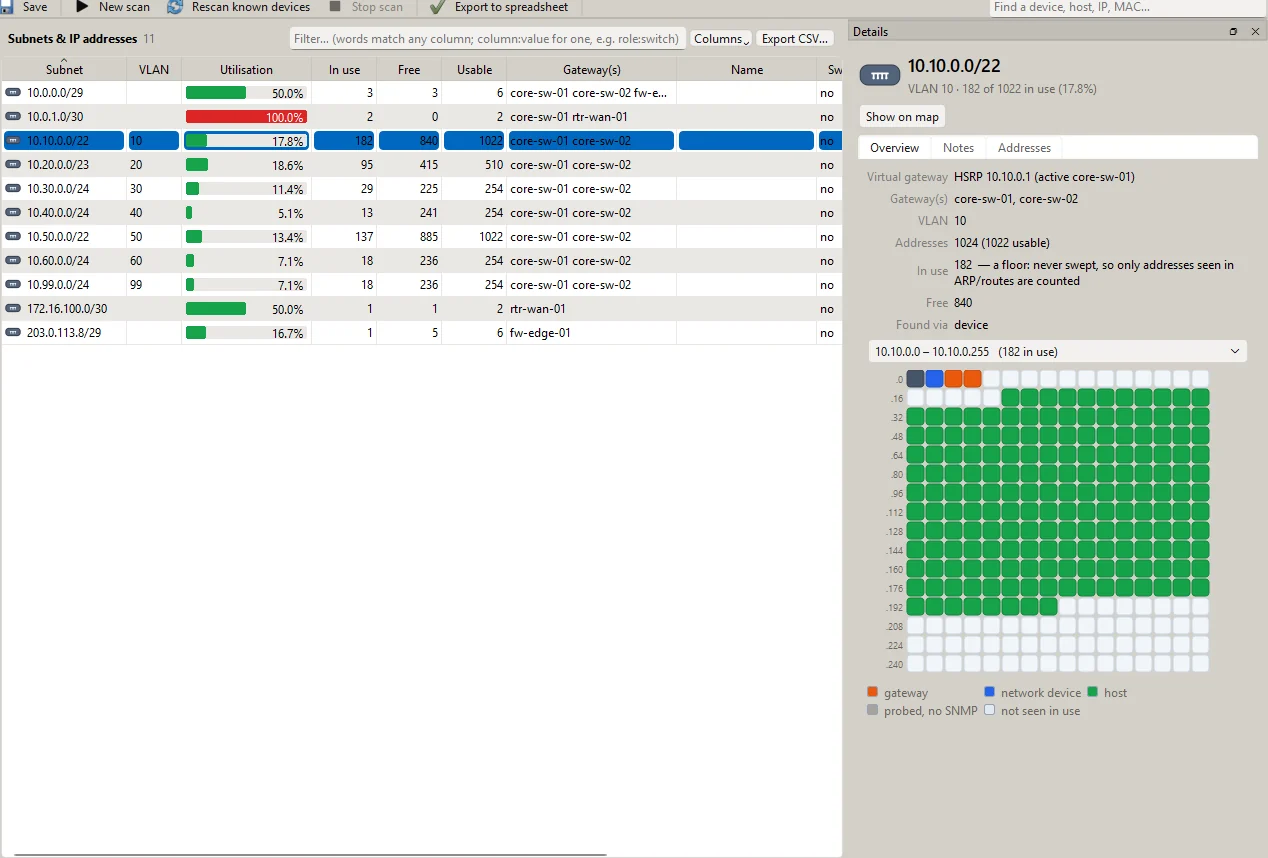
Hosts are typed from many small pieces of evidence: the MAC vendor, names, open services, what the platforms say about them, and light protocol probes that need no credentials. Each verdict shows its evidence, and you can override it.
- PCs, servers, phones and tablets, printers, IP phones, cameras, storage, UPSes
- Building and industrial controllers (BACnet, Modbus, EtherNet/IP) and server lights-out controllers
- Which switch port or access point each host is on
- Subnets the routing tables mention but no scan reached are flagged
Physical and logical topology
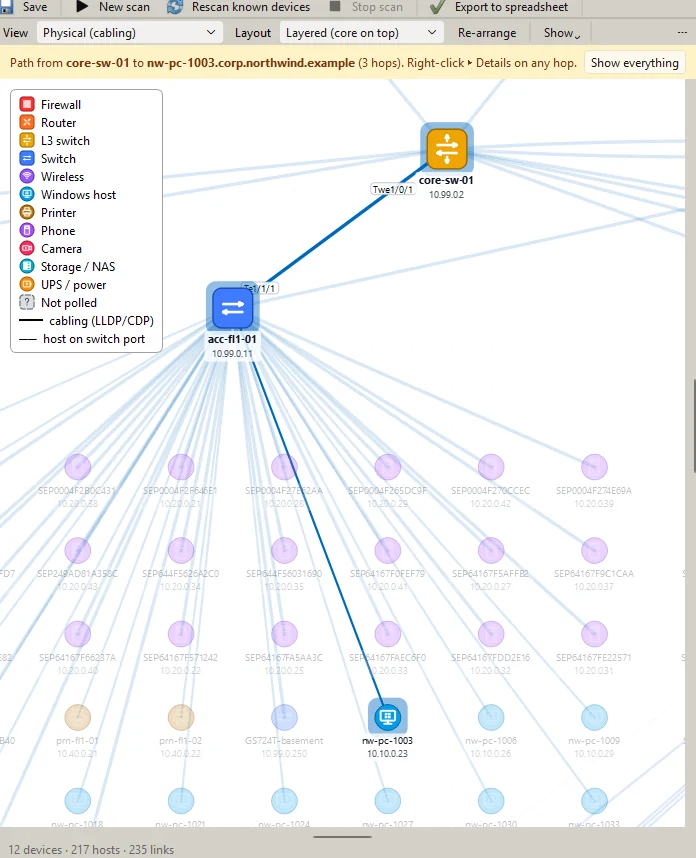
The physical view follows the cabling; the logical view shows routing, subnets and tunnels. Layouts keep pairs together, pack hosts under their switch, never overlap, and collapse to badges when you zoom out. Positions you set by hand are kept.
- Trace the path between two addresses, hop by hop
- Site-to-site VPN tunnels from the firewalls, with the networks behind them
- Export to draw.io, PNG, SVG, PDF, HTML, GraphML and DOT
Connections to what already knows
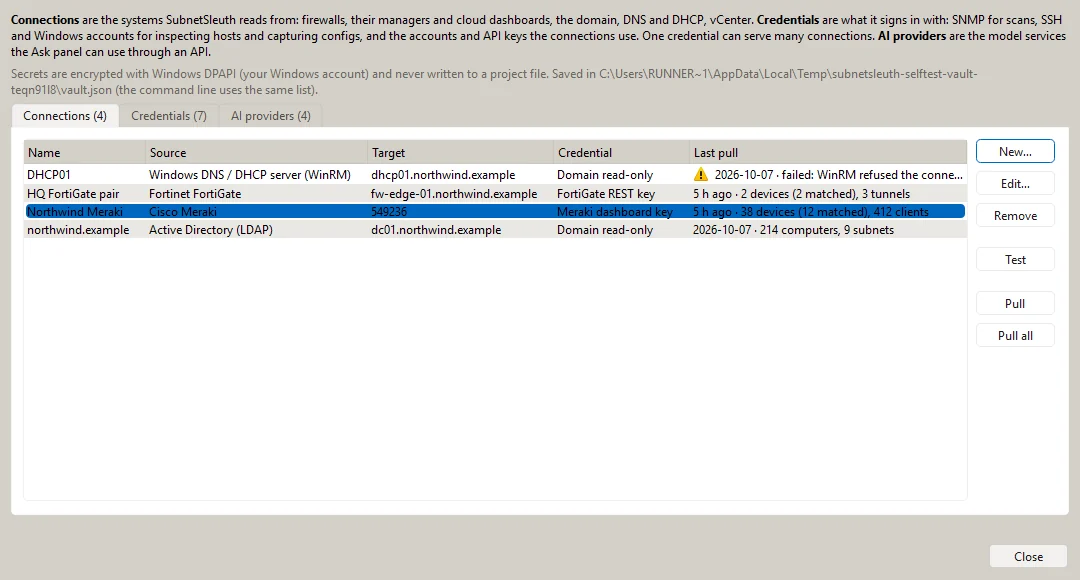
Save a connection once, with the credential it signs in with, and pull it into any project. Platform records are matched with the scan by serial, MAC and address, and the differences are listed: gear the platform manages that no scan reached, gear the scan found that no platform manages.
- Cloud dashboards, firewall managers and firewalls from the major vendors
- Active Directory computers and subnets, Windows DNS and DHCP servers, DNS zone transfers
- VMware vCenter hosts and virtual machines, DHCP lease exports
- After a pull, its subnets join the scan and its devices are polled
Deep scans, host inspection and configurations
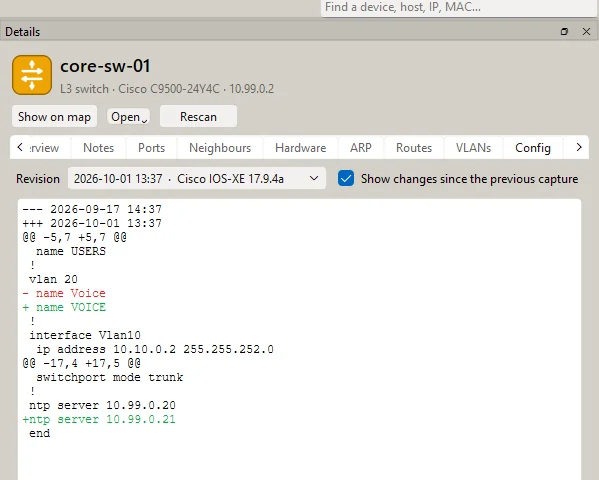
When a box needs a closer look: an Nmap deep scan of every port with service versions and safe scripts; host inspection over SSH or WinRM for the OS, hardware, software, services and live connections; and configuration capture over SSH with the changes between captures.
- Live connections become a dependency map of who talks to which server
- Configuration history with a diff of every change
- Listen for syslog and SNMP traps while you are on site
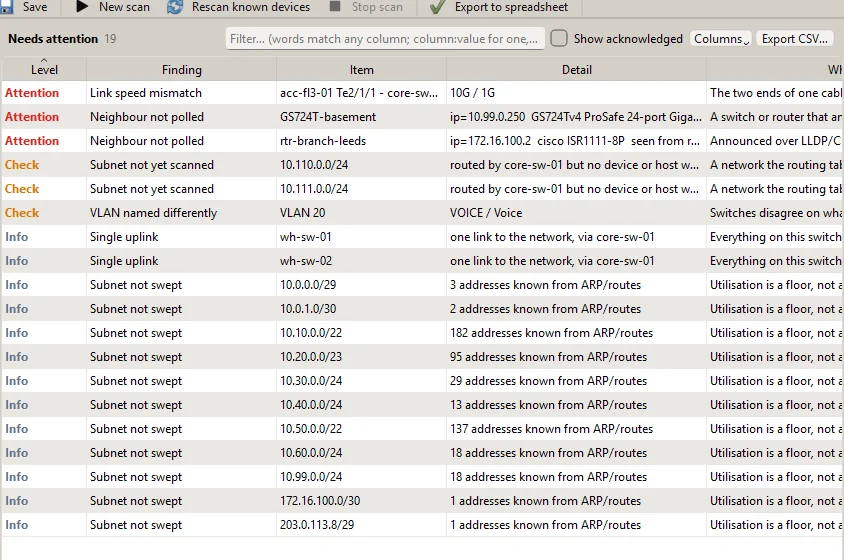
The things worth acting on
Neighbours that could not be polled, devices that hide their topology, links whose ends disagree on speed or duplex, VLANs named differently on different switches, subnets whose router was never reached, overlapping subnets, single uplinks, and hardware past or near the end of vendor support.
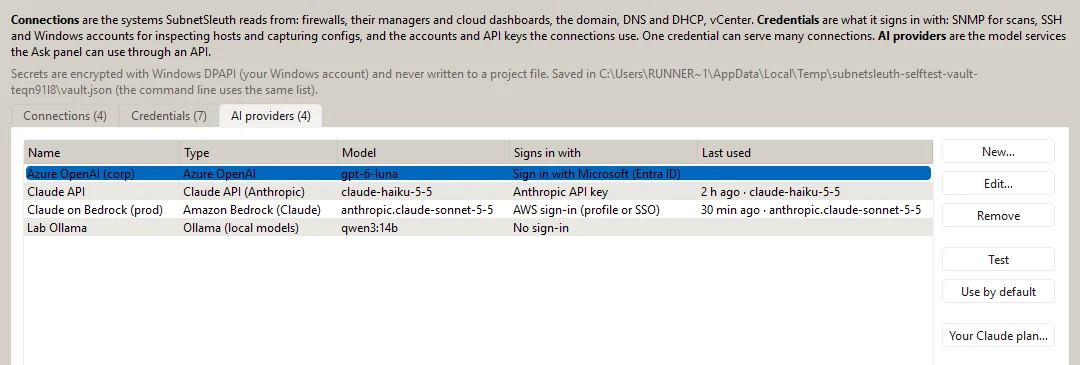
Ask about the network in plain English
Ready-made questions (explain this network, what the platforms add, clean up the asset register, models and firmware, questions for the previous owner) or your own. Answers are grounded in the project and name the devices and records they rely on.
- Your Claude plan, through Claude Code, Claude Desktop or Cowork
- Claude through Anthropic's API, Amazon Bedrock, Google Cloud Vertex AI or Microsoft Foundry
- Or OpenAI, Azure OpenAI, Gemini, Mistral, xAI, a local Ollama or your own gateway
- Show what will be sent; mask addresses, MACs, serials and names
And the rest
Projects you can hand over
One .sleuth file holds the inventory, notes, map layouts and scan history. Credentials are never in it, so it is safe to share.
Exports
An Excel workbook with a sheet per inventory, CSV, a draw.io diagram, PDF, PNG, SVG and an interactive HTML map.
Keep it current
Rescan everything already known in one click, schedule rescans, and compare any two projects to see what changed.
Query language
hosts where os ~ windows and port = 3389: ask the inventory precise questions and export the answer.
Command line and API
The same scanner on Windows and Linux for scheduled or repeatable runs, and a read-only REST API for scripts.
Field-friendly
An installer or a portable folder for a USB stick. Works offline; licences are checked on the computer.
Try every feature for 14 days
On one network and up to 25 devices, with no account and no card.